


Tuition fee & Stay
- Top
- Tuition fee & Stay (Price list)
Price list
| 2 years Course | 1.5 years Course | |||
|---|---|---|---|---|
| 1st year (Pre-admission payment) | 2nd year (1 Year) | 1st year(Pre-admission payment) | 2nd year (6 months) | |
| Screening fee | ¥30,000 | — | ¥30,000 | — |
| Admission fee | ¥50,000 | — | ¥50,000 | — |
| Tuition fee | ¥720,000 | ¥720,000 | ¥720,000 | ¥360,000 |
| Other expenses | ¥80,000 | ¥80,000 | ¥80,000 | ¥40,000 |
| Textbook fee | ¥30,000 | ¥30,000 | ¥30,000 | ¥15,000 |
| Total | ¥910,000 | ¥830,000 | ¥910,000 | ¥415,000 |
Special Notes
1. As a general rule, application fees, admission fees, tuition fees, and other fees are non-refundable. 2. Other fees include facility fees, insurance fees, field trip fees・health examination feesDormitory Fees
We rent dormitories from our school. Please contact us if you are interested in living in one. The most affordable room is priced at an initial fee of \252,000. ( entrance fee: \30,000, 6 months’ rent (\35,000 x 6 months), futon fee: \12,000) You will need to pay 35,000 yen in rent every month from the sixth month after enrollment.Payment about Screening fee & Tuition fee
SEIGAN Japanese Language School has partnered with Flywire to streamline international payment process for our students. With Flywire, you can pay online, securely from any country and any bank, typically in your home currency.WHY USE FLYWIRE?
- Flywire allows you to pay from any country and any bank, offering excellent foreign exchange rates and no hidden fees, Best Price Guaranteed!
- Track the progress of your payment online and receive email and text alerts each step of the way.
- Contact their multilingual customer support via phone, chat and email any time, any day for any assistance with your payment
FLYWIRE CUSTOMER SUPPORT INFORMATION
*E-mail: support@flywire.com *Web: flywire.com/help *Video: flywire.com/how-it-works/ > Guide to paymentHOW TO MAKE A PAYMENT
- At below, enter your payment amount and country of origin, then click CONTINUE TO FLYWIRE. You will be redirected to Flywire website. Or, just go to seigan.flywire.com
- Select payment method and create (or login to) your Flywire account, then enter some basic information to initiate your payment booking.
- Follow instructions to send payment funds to Flywire. For debit/credit card payments, enter your card details online to complete your payment in your home currency. (Additional local payment options may be available depending on the country you are paying from.)
- Track your payment any time by logging into your Flywire account. Receive text and email status updates each step of the way, including a confirmation when your payment has been delivered to your institution
Widget HTML code:(*Please click below URL, then please fill in the information aboutyou)
https://flywire.com/widget/transfers/new?school_subdomain=seigan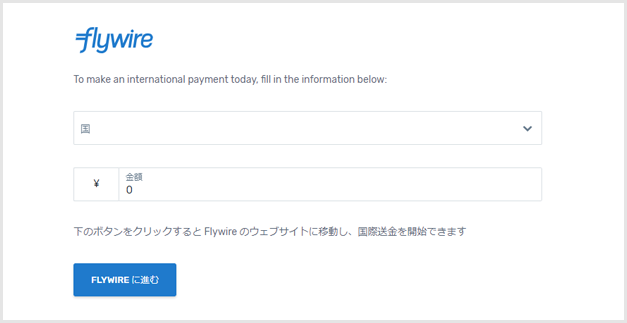 If you would like to pay through Bank Transfer Please Click here